For many businesses, Microsoft Excel has been the default tool for managing business data for many years. Companies use Excel to track sales, manage employee records, prepare reports, calculate expenses, and organize different types of business information.
Excel is popular because it is simple, flexible, and easy to start with. Almost every office worker has used Excel at some point.
However, as businesses grow, many companies begin to face problems when they rely too heavily on spreadsheets.
Files become difficult to manage. Data gets duplicated. Multiple versions of the same file appear. Important information gets lost or overwritten.
At this stage, businesses often start looking for better solutions. One such solution is a web application.
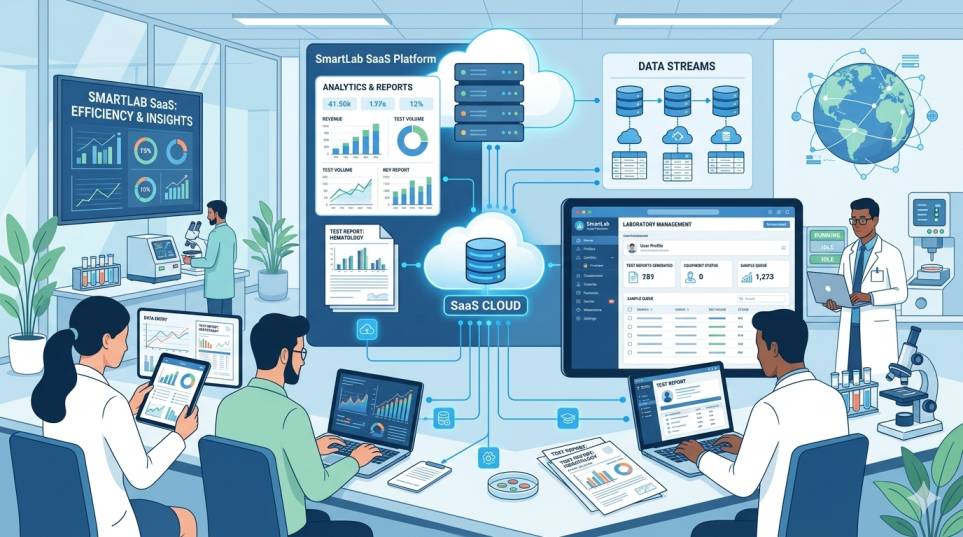
Web applications allow businesses to manage their operations through an online system instead of multiple Excel files.
But the question many business owners ask is:
Should we continue using Excel or move to a web application?
In this article, we will explore the differences between Excel and web applications, understand their advantages and limitations, and see which option is better for different types of business operations.
Understanding Excel in Business Operations
Excel is a spreadsheet program used for organizing, calculating, and analyzing data.
Businesses commonly use Excel for tasks such as:
- tracking sales
- preparing MIS reports
- managing inventory
- recording expenses
- creating employee lists
- generating financial reports
Excel provides tools such as formulas, charts, and tables that help users analyze data easily.
Because of its flexibility, Excel can be used in many different ways depending on business needs.
For small teams and simple tasks, Excel works very well.
However, problems begin to appear when businesses try to manage complex operations using spreadsheets.
Why Businesses Start With Excel
Most businesses begin with Excel because it is easy to use and readily available.
Here are some common reasons why companies start with Excel.
Easy to Learn
Excel is simple enough for most office workers to learn quickly. Basic tasks like entering data, creating tables, and calculating totals are easy to perform.
Low Initial Cost
Many companies already have Excel as part of their office software. This means businesses do not need to invest in building a system at the beginning.
Flexible for Different Tasks
Excel can be used for many purposes such as financial tracking, reporting, planning, and analysis.
This flexibility makes Excel a convenient starting tool for many businesses.
Start Learning: Excel Tutorials
Common Problems Businesses Face with Excel
While Excel works well for small tasks, it becomes difficult to manage when business operations grow.
Let us look at some common problems companies experience when using Excel extensively.
Multiple Versions of the Same File
One of the most common issues with Excel is file duplication.
For example, imagine a sales report file being shared among different employees.
Soon you may see files like:
SalesReport_Final.xlsx
SalesReport_Final_V2.xlsx
SalesReport_Updated.xlsx
This creates confusion about which file contains the correct information.
Data Entry Errors
Excel relies heavily on manual data entry. This increases the chances of human errors.
A single incorrect number or misplaced formula can change the results of an entire report.
These mistakes can affect important business decisions.
Difficulty in Collaboration
When multiple people need to update the same data, Excel files become difficult to manage.
Some employees may update the file while others are working on an older version.
This leads to inconsistent information.
Security Risks
Excel files can easily be copied, shared, or modified.
Sensitive business data such as financial records or employee information may not always be protected properly.
Lack of Automation
Most Excel processes require manual effort.
For example:
- preparing daily reports
- updating sales data
- calculating monthly totals
These repetitive tasks consume time and reduce productivity.
What Are Web Applications?
A web application is a software system that runs in a web browser.
Instead of storing information in individual Excel files, data is stored in a centralized system that users can access online.
Employees can log into the system and perform tasks such as:
- entering data
- generating reports
- tracking business activities
- managing workflows
Examples of web applications include systems used for:
- customer management
- inventory tracking
- employee attendance
- project management
- reporting dashboards
Web applications are designed specifically to support business operations in a structured and secure way.
How Web Applications Work
In a web application, all data is stored in a central database.
Users access the system through a web browser using login credentials.
Instead of editing spreadsheets, employees interact with forms, dashboards, and automated reports.
This approach ensures that all users are working with the same data in real time.
For example:
A sales executive enters daily sales data into the system.
The manager can instantly view updated reports without waiting for files to be shared.
This improves transparency and efficiency.
Read More: How Much Does It Cost to Build a Website in India?
Excel vs Web Applications
Let us compare Excel and web applications based on several important factors.
Data Management
Excel stores data in individual files.
Web applications store data in centralized databases.
Centralized storage makes it easier to manage and maintain accurate information.
Collaboration
Excel collaboration can be difficult when multiple people edit the same file.
Web applications allow multiple users to work simultaneously without creating separate file versions.
Automation
Excel requires many manual processes.
Web applications can automate repetitive tasks such as:
- report generation
- notifications
- calculations
- workflow approvals
Automation reduces errors and saves time.
Data Security
Excel files can be easily copied or shared.
Web applications allow businesses to control access through user roles and permissions.
This improves security for sensitive data.
Scalability
Excel works well for small datasets.
But as data grows larger, spreadsheets become slow and difficult to manage.
Web applications are designed to handle large amounts of data efficiently.
Real-Life Examples
Understanding practical examples helps explain when Excel works and when web applications are more suitable.
Example 1: Inventory Management
A small shop may track inventory using Excel.
However, when the number of products increases, updating stock levels manually becomes difficult.
A web-based inventory system can automatically update stock whenever a sale occurs.
This provides accurate real-time information.
Example 2: Employee Attendance
Some companies track attendance using Excel sheets.
HR staff manually update attendance records and calculate monthly totals.
A web-based attendance system can automatically record employee check-ins and generate reports.
This reduces manual work.
Example 3: MIS Reporting
Many organizations prepare Management Information System (MIS) reports using Excel.
Data from different departments is collected and combined manually.
This process may take several hours or even days.
A web application can automatically gather data from different sources and generate reports instantly.
This allows managers to make faster decisions.
When Excel Is Still Useful
Despite its limitations, Excel still has an important role in business operations.
Excel is useful for:
- quick data analysis
- temporary reports
- financial calculations
- small datasets
Many businesses use Excel for individual tasks while using web systems for larger operations.
When Businesses Should Move to Web Applications
Businesses should consider moving from Excel to web applications when they experience problems such as:
- multiple employees updating the same data
- frequent data errors
- slow reporting processes
- difficulty tracking information
- increasing data volume
These signs indicate that a more structured system may be needed.
Benefits of Using Web Applications
Web applications offer many advantages for growing businesses.
Centralized Data
All business information is stored in one place, making it easier to manage and access.
Improved Efficiency
Automated workflows reduce manual work and improve productivity.
Better Decision Making
Real-time dashboards provide accurate insights for managers.
Enhanced Security
User access controls protect sensitive business information.
Scalability
Web systems can grow along with the business.
Cost Comparison
Many business owners worry that web applications are expensive.
However, the cost must be compared with the time and errors caused by manual processes.
For example:
If employees spend several hours every week preparing Excel reports, the hidden cost of lost productivity can be significant.
A web system that automates reporting may actually save money in the long term.
The Future of Business Operations
As businesses become more digital, the use of web applications is increasing.
Companies are moving away from manual spreadsheets and adopting systems that provide:
- real-time data
- automation
- better collaboration
This shift helps businesses operate more efficiently and stay competitive.
Final Thoughts
Excel has been a powerful tool for businesses for many years, and it continues to be useful for many tasks.
However, as businesses grow and operations become more complex, relying entirely on spreadsheets can create challenges.
Web applications provide a more structured and scalable way to manage business operations.
They help businesses automate processes, reduce errors, improve collaboration, and gain better insights from data.
The best approach for many companies is not to completely replace Excel but to use web applications for critical operations while using Excel for smaller tasks.
Choosing the right tools allows businesses to work smarter and focus more on growth.
Need Help Automating Business Operations?
Many businesses struggle with manual reporting and complex Excel workflows.
SmartTejas helps organizations build custom web systems that automate business processes and simplify operations.
Solutions can include:
- automated MIS reporting systems
- business dashboards
- custom web applications
- data management systems
If your business is ready to move beyond spreadsheets and improve efficiency, SmartTejas can help design a solution that fits your needs.
Contact SmartTejas to explore how web applications can transform your business operations.
FAQs – Excel vs Web Applications
When should a business move to web applications?
When data grows, errors increase, and multiple users need access.
What are the limitations of Excel for large data?
Slow performance, manual errors, lack of real-time collaboration, and data duplication.
Are web applications more secure than Excel files?
Yes, web apps provide better access control, backups, and data security.
Which is better for automation: Excel or web applications?
Web applications are better for full automation and scalability.